
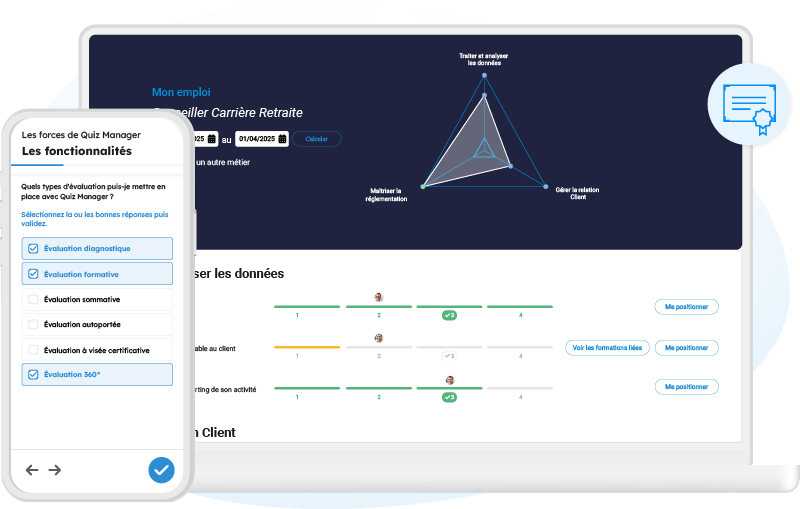
A complete solution for training, assessing and developing your learners

From assessment to skills development, with Quiz Manager, you can design engaging assessments, measure learning outcomes and turn every test into a tool for training and progress.

They chose Quiz Manager

Features

Designed to meet all your assessment needs, Quiz Manager helps you manage your entire assessment process, from design to analysis of results.

Engaging assessments

Go far beyond multiple-choice questions

With the Evaluation module, turn every questionnaire into a genuine learning tool thanks to interactive and customisable features.

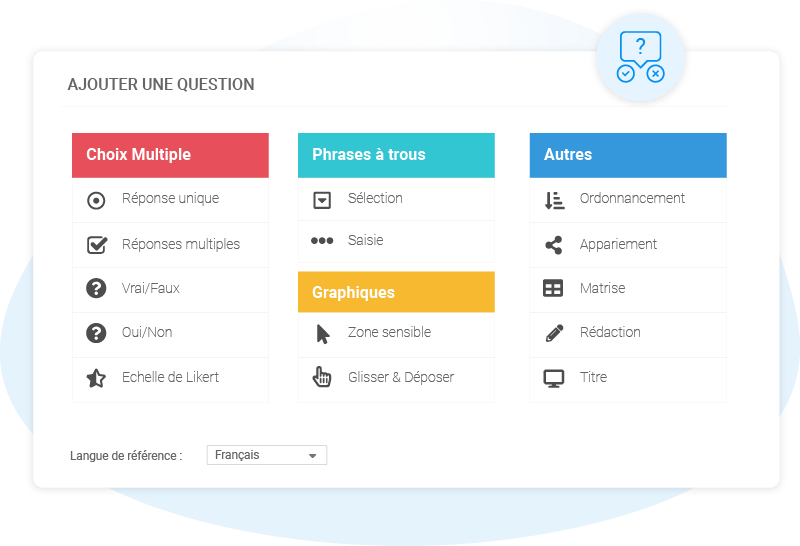
14 types of questions

Advanced scoring

Timer

Personalised feedback

Branches

Thematic analysis

Preliminary questions and topics

Boost engagement and retention with rich, interactive and personalised assessments.

Tailor your assessments to suit every educational need, from quick quizzes to full certification.

Total versatility

Cover all your assessment needs

Quiz Manager couvre l’ensemble des situations d’évaluation, quelles que soient vos méthodes pédagogiques ou vos objectifs. Créez des évaluations 360° grâce au module correspondant.

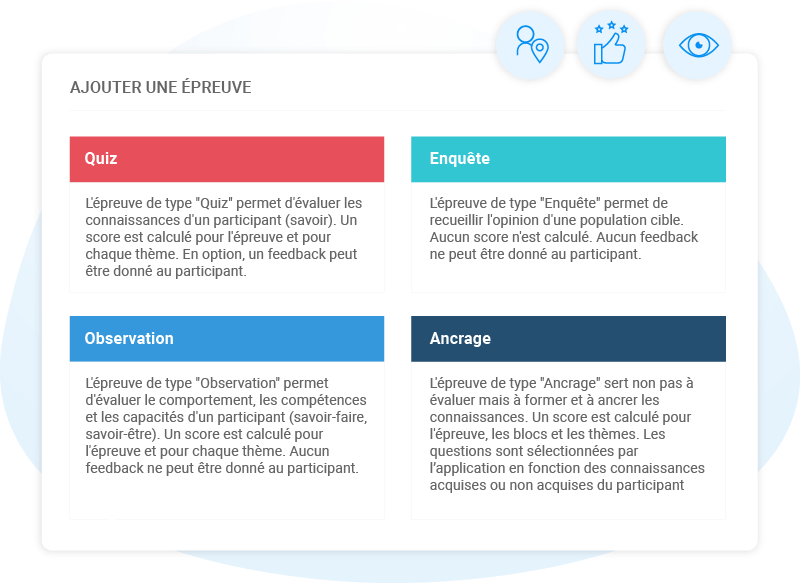
Placement test

Formative and summative

Memory Anchoring

On-the-Job Observation

Survey and poll

360-Degree Feedback

Analysis and monitoring of results

Make decisions based on reliable data

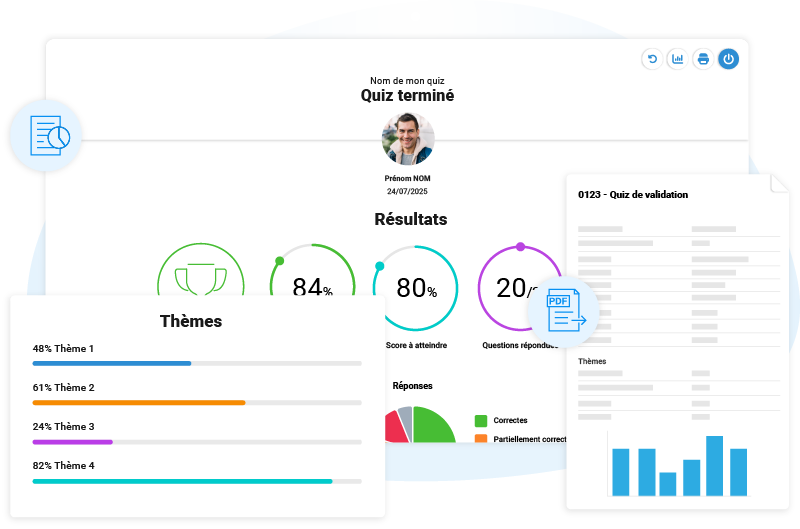
Access real-time results to tailor your learning pathways, manage skills development and recognise achievements.

Rapports instantanés

Data export (CSV, PDF, XLIFF)

Analysis by user, group or topic

BI integration

Gain real-time access to actionable data to drive performance.

Ensure compliance and recognise skills with full traceability of results.

Certification mastery

Ensure accuracy, reliability and traceability

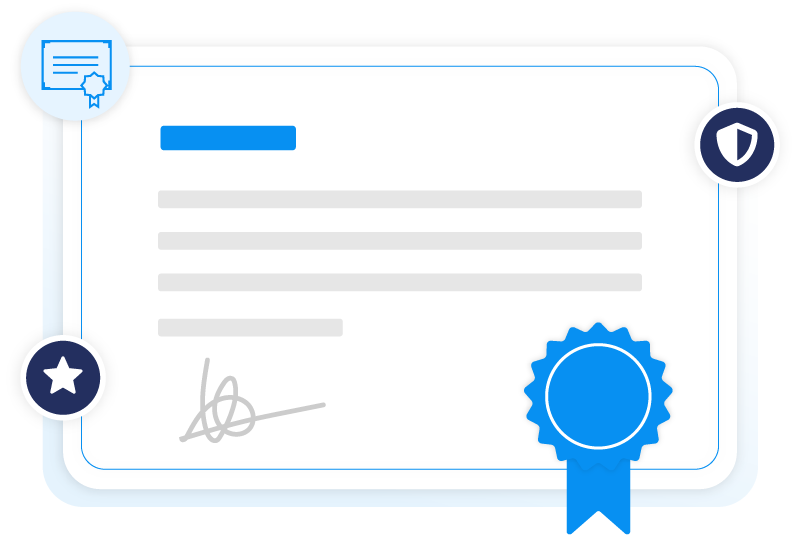
Ensure the compliance and transparency of your certification processes, with full traceability of results.

Traceability of results

Multi-certification management

Process monitoring

Customising assessment criteria

Skills evaluation

Drive skills development

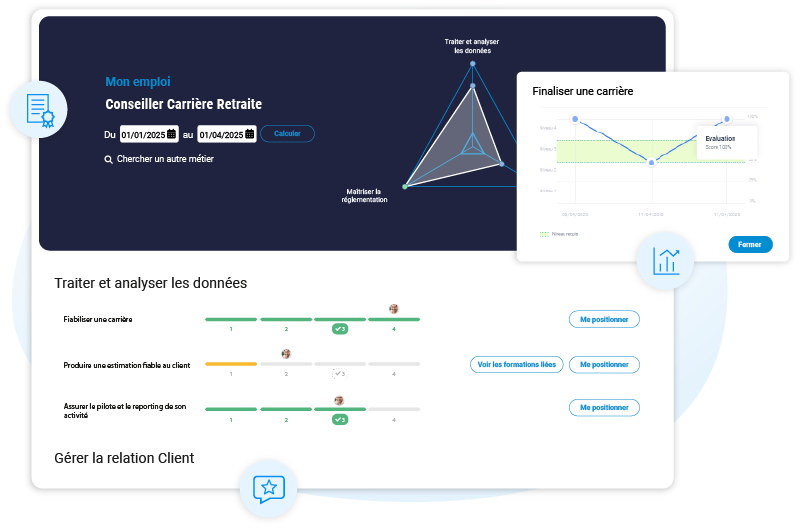
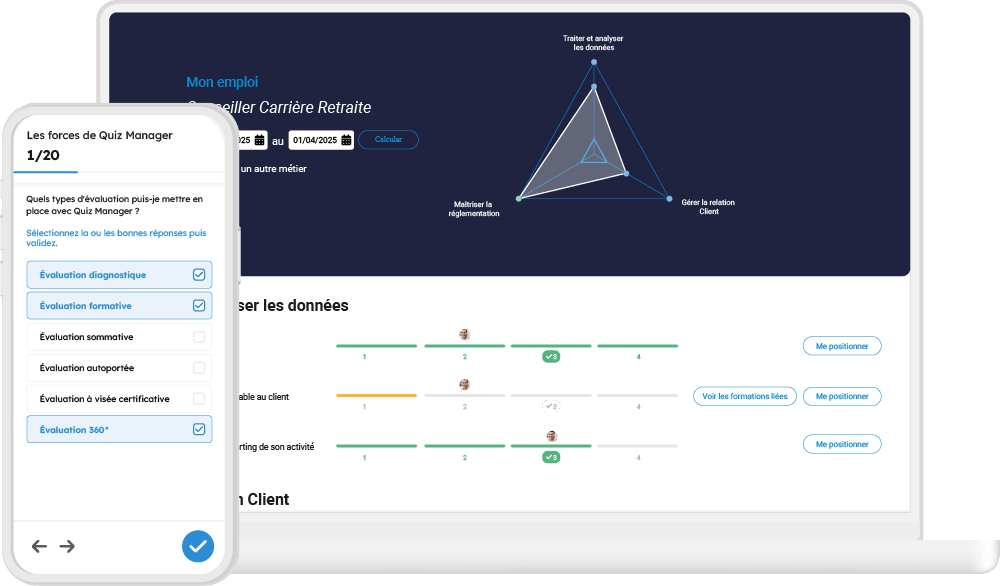
With the Competency module, draw on a comprehensive skills framework to assess the gap between expected and actual skills, and effectively tailor your training initiatives.

Competency framework

Tracking progress

Gap analysis

Training recommendations

See where the gaps lie and identify the training courses that really boost performance!

Reach out to all your colleagues around the world!

Multilingual management

Publish your assessments in all languages

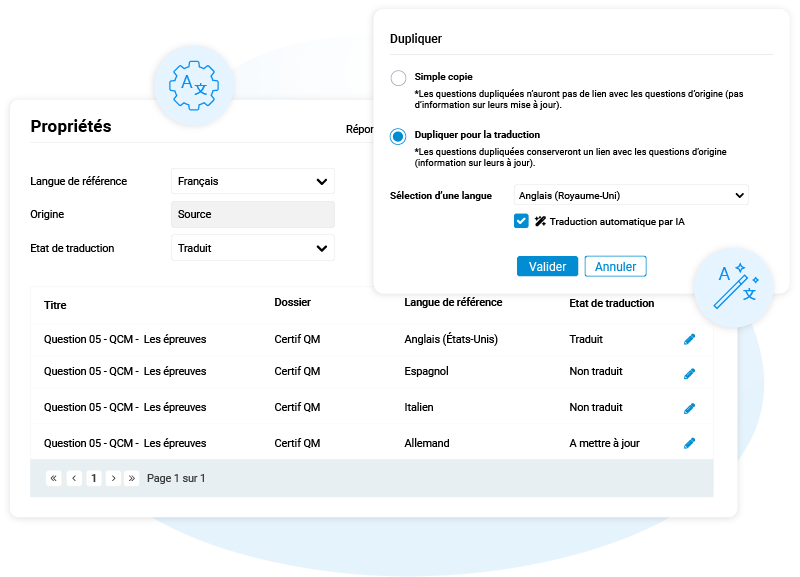
Manage the translation of your questionnaires with ease using a centralised question manager, which allows you to create, track and update each language — all with the help of AI.

Over 30 languages available

Language Manager

AI-assisted translation

Tracking progress

Open and secure integration

Connect Quiz Manager to your entire ecosystem

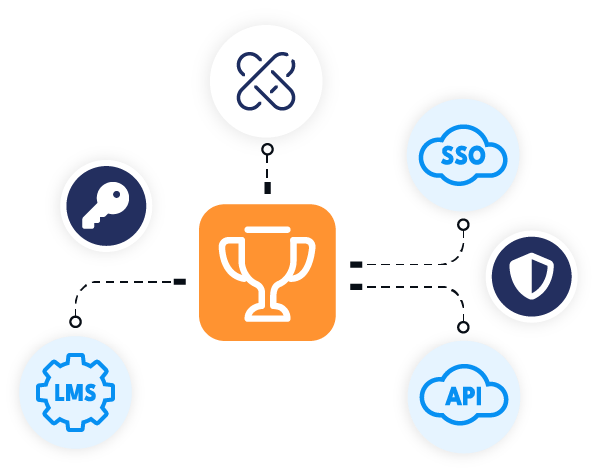
Enjoy an open and interoperable solution that integrates seamlessly into your digital environment without any proprietary restrictions. If you use xLMS®, simply activate the module to access the assessment features!

Integrated with xLMS®

LMS integration

API

SSO

Easily connect Quiz Manager to your tools for unified and secure management.

Pourquoi choisir Quiz Manager ?

Are you interested?

They chose Quiz Manager

Different customers, different needs, one solution.

previous arrow
RENAULT
Large-scale assessment at Renault

As part of its strategic R-Labelling programme, Renault is certifying more than 70,000 employees across its entire sales and technical network, in 27 languages.
Using Quiz Manager, the company centrally manages knowledge and skills development in the field through an approach that combines digital quizzes with the observation of working practices.


next arrow
Groupe Renault
Fnac Darty
Orano
previous arrow
next arrow

Frequently Asked Questions

Use and installation

Quiz Manager is a comprehensive platform for assessing knowledge and skills, designed primarily for training and recruitment professionals who wish to create effective assessment questionnaires quickly and easily, distribute them, and analyse the individual and collective results of respondents.

No, there are no technical requirements for using Quiz Manager in SaaS mode. The tool can be accessed directly via a web browser, with no local installation or special configuration required.

It has been designed to be intuitive and easy to use, even for non-technical users.

From an educational perspective, it is advisable to have a clear understanding of the learning objectives and assessment methods in order to get the most out of the tool. Quiz Manager allows you to create various types of assessments (multiple-choice, true/false, drag-and-drop, etc.). Careful consideration of the skills to be assessed beforehand thus makes it easier to design relevant and effective quizzes.

Yes, regular training courses and technical support are available. Users therefore benefit from comprehensive support, comprising both training sessions and a responsive support service.

Software features

Using just a web browser, Quiz Manager allows you to:

  • Create question and test banks by combining different types of questions, multimedia elements and rules governing how the questionnaire is conducted.
  • Organise the tests according to the learners’ level.
  • Distribute your test papers to all your learners, either individually or in groups.
  • Analyse the results using over 15 reports providing individual or group summaries.
  • Assess the knowledge acquired by respondents and recommend appropriate training measures.
  • Record each response to provide detailed analyses.
  • Easily customise, print and export reports to Excel.

Quiz Manager allows you to set up various types of assessment, tailored to your teaching objectives:

  • Diagnostic assessment: to assess learners’ starting level at the beginning of the course.
    Example: positioning quiz..
  • Formative assessment: to support learning throughout the course. Learners can test themselves, receive immediate feedback and make progress.
    Example: an interactive quiz with answers and explanations.
  • Summative assessment: to assess learning outcomes at the end of a module or course and measure the results achieved.
    Example: final quiz with a score.
  • Self-assessment: learners can assess their own progress at their own pace using quizzes that are available at any time, which they can complete independently.
  • Certification assessment (depending on configuration): Quiz Manager can also be used as part of certification programmes, with defined requirements (minimum score, limited number of attempts, etc.).
Quiz Manager allows you to create a wide variety of questions, tailored to different learning objectives:

Multiple-choice questions:

  • Single answer
  • Multiple-choice answers
  • True / False
  • Yes / No
  • Double question
  • Likert scale

Interactive questions:

  • Drag and drop
  • Sensitive area
  • Ordering
  • Pairing
  • Matrice

Fill-in-the-blank questions:

  • Fill-in-the-blank sentence (free response)
  • Fill-in-the-blank sentences (selection)
  • Writing

Presentation questions (not assessed):

  • Title (useful for introducing or structuring a questionnaire)

Yes, you can import an existing question bank into Quiz Manager. The supported formats are: QEF, XLIFF, XLSX and CSV. To help you structure your questions, we provide an XLSX file template.

Yes, you can create quizzes available in over 30 languages. To save you time, Quiz Manager also offers automatic translation generation using artificial intelligence. You can then review them and make any necessary adjustments.

Yes, the questionnaires are accessible on all devices: PCs, tablets and mobiles. The pages are responsive and automatically adapt to the screen size, ensuring a seamless experience regardless of the device.

Évaluation et résultats

With Quiz Manager, you can assess all types of skills:

  • Knowledge: theoretical knowledge
  • Hard-Skills: techniques, methods and practical steps
  • Soft skills: professional behaviour and attitudes

This is made possible by combining questionnaires (quizzes) and observational assessments, depending on the type of skill being assessed.

Oui. En structurant vos questionnaires par compétence/thème, vous pouvez accéder à une restitution fine des résultats, au-delà du simple score global. Quiz Manager allows you to assign questions to categories (known as themes) in order to:

  • View the breakdown of performance by area of expertise.
  • Generate detailed reports and graphs to facilitate analysis and decision-making.

Quiz Manager offers various types of reports that enable a detailed analysis of assessment results. These reports can focus on the learner — providing a level of detail down to the answer given to each question — or on the assessment itself, to provide an overview of performance.

It is also possible to view skills gaps in order to identify strengths and areas for improvement by criterion or target area. Available formats include Excel, CSV and PDF, for easy reuse in your usual tools.

Integration and security

Quiz Manager has been designed to integrate seamlessly with your existing digital ecosystem. It supports authentication via SSO (Single Sign-On), using the SAML 2.0 protocol, which enables a secure and seamless login experience for your users, without the need to create an additional account.

The tool also offers an API that enables the automation of a wide range of tasks: creating assessments, managing users, retrieving results, and integrating with third-party workflows (LMS, CRM, HR tools, etc.).

These mechanisms ensure effective interoperability with your internal systems, whilst meeting your requirements regarding security, confidentiality and data continuity.

Quiz Manager places the utmost importance on the protection of personal data and regulatory compliance. The solution has been designed in accordance with the General Data Protection Regulation (GDPR), featuring transparent data processing, rigorous consent management, and the collection of only the data strictly necessary.

From a technical perspective, Quiz Manager relies on secure servers hosted in France, ensuring data sovereignty. All communications are encrypted (HTTPS/TLS), and mechanisms for managing access rights, logging actions and performing regular backups are in place.

Finally, regular security audits and updates are carried out to maintain the highest possible level of security.

Book a demo

Fancy finding out more? Book your personal demonstration!